
Charging Docks & Cables
Third-party charging docks, cables and adapters for Ray-Ban Meta and Oakley Meta glasses, useful for travel or as a spare. Meta supports charging only in its own case, so check the listed model fit.
Showing 1–12 of 15 results
-
Charging Docks & Cables
AMVR 2-in-1 Magnetic Fast Charging Dock for Ray-Ban Meta Glasses & Case
$72.99 Select options This product has multiple variants. The options may be chosen on the product page -
Charging Docks & Cables
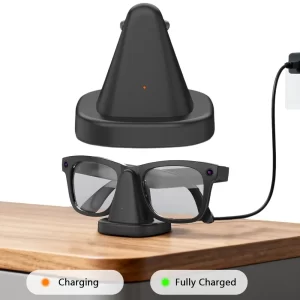
Charging Dock for Ray-Ban Meta Smart Glasses – LED Indicator & USB Cable
$33.99 Select options This product has multiple variants. The options may be chosen on the product page -
Charging Docks & Cables
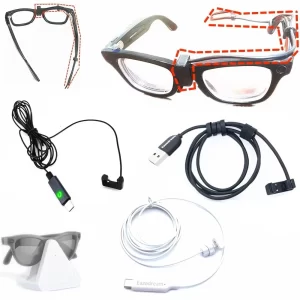
Direct USB-C Charging Cable for Ray-Ban Meta Gen 1 & 2 (No Case Needed)
Price range: $37.99 through $42.99 Select options This product has multiple variants. The options may be chosen on the product page -
Charging Docks & Cables
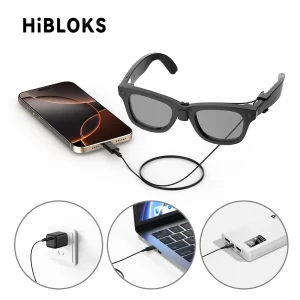
Hibloks Fast Charging Cable for Ray-Ban Meta Gen 2 Wayfarer & Skyler
$17.99 Select options This product has multiple variants. The options may be chosen on the product page -
Charging Docks & Cables
Hibloks Magnetic Charging Stand for Ray-Ban Meta Case (Gen 1 & 2)
$49.99 Select options This product has multiple variants. The options may be chosen on the product page -
Charging Docks & Cables
Hibloks USB-C Fast Charging Cable for Ray-Ban Meta Wayfarer & Skyler
$28.99 Select options This product has multiple variants. The options may be chosen on the product page -
Charging Docks & Cables
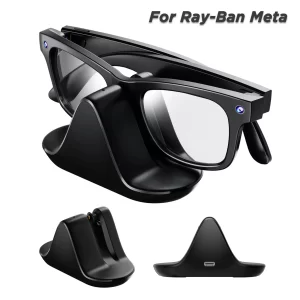
LED Charging Dock for Ray-Ban Meta & Oakley Meta HSTN Smart Glasses
$16.99 Select options This product has multiple variants. The options may be chosen on the product page -
Charging Docks & Cables
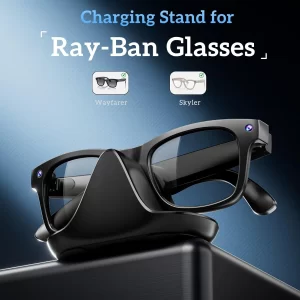
LED Charging Dock for Ray-Ban Meta Wayfarer (RW4006/RW4008)
$19.99 Select options This product has multiple variants. The options may be chosen on the product page -
Charging Docks & Cables
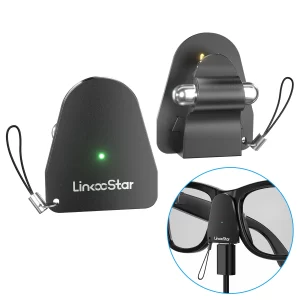
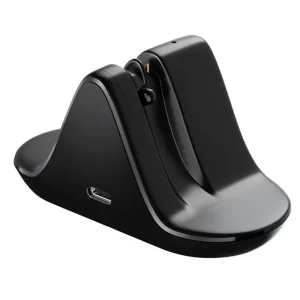
Mini Travel Charging Dock for Ray-Ban Meta Smart Glasses (USB-C)
$18.99 Select options This product has multiple variants. The options may be chosen on the product page -
Charging Docks & Cables
Mini USB-C Charging Connector for Ray-Ban Meta & Oakley Meta
$21.99 Select options This product has multiple variants. The options may be chosen on the product page -
Charging Docks & Cables
Portable Charging Dock for Ray-Ban Meta Smart Glasses – USB-C, LED
$20.99 Select options This product has multiple variants. The options may be chosen on the product page -
Charging Docks & Cables
Portable Charging Stand for Ray-Ban Meta Wayfarer, Headliner & Skyler
$16.99 Select options This product has multiple variants. The options may be chosen on the product page



What to check
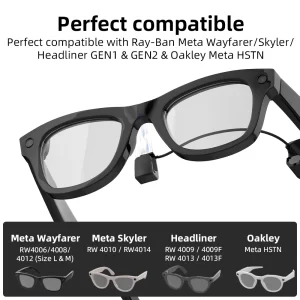
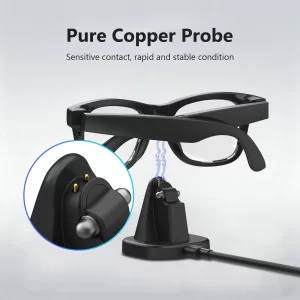
- Listed fit: docks connect to the nose-bridge contacts, so the frame model matters.
- Power: a USB-C cable and a 5 W or larger adapter meet Meta's stated requirements for the case.
- Indicator lights: third-party docks use their own light colors.
Case lights confusing you? Read Ray-Ban Meta charging case lights.
Frequently asked questions
How do I know which accessory fits my glasses?
Match the model code and size on your box or receipt (for example RW4006, 50-22) to the fit listed on the product page. Our Which accessories fit my Ray-Ban Meta? guide lists every model code.
Can you charge Ray-Ban Meta glasses without the case?
Meta says the case is the only official way. Third-party docks and cables connect to the same contacts but are not made or approved by Meta.
Sources: Meta: How to charge AI glasses.
Ray-Ban, Oakley and Meta are trademarks of their respective owners. AIGLASSZ is not affiliated with or endorsed by them; accessories are described by compatibility only.
Guides for Charging Docks & Cables
- Which Accessories Fit My Ray-Ban Meta? Gen 1, Gen 2 and Model CompatibilityHow to find your Ray-Ban Meta model code and size, plus the listed fit of every lens, clip-on,…
- Ray-Ban Meta Accessories: The Complete Guide to Lenses, Charging, Fit and CasesRay-Ban Meta accessories by problem: fit fixes, prescription and polarized lenses, charging docks and cases, with a model-code…
- Ray-Ban Meta Charging Case Lights: What Green, Orange, Red and Blue MeanWhat the Ray-Ban Meta charging case lights mean, why the case blinks orange or red, how to fix…